Migrating the eTrice and MiniHIL IDE from Eclipse zu VS Code
Migration of legacy tooling to VS Code
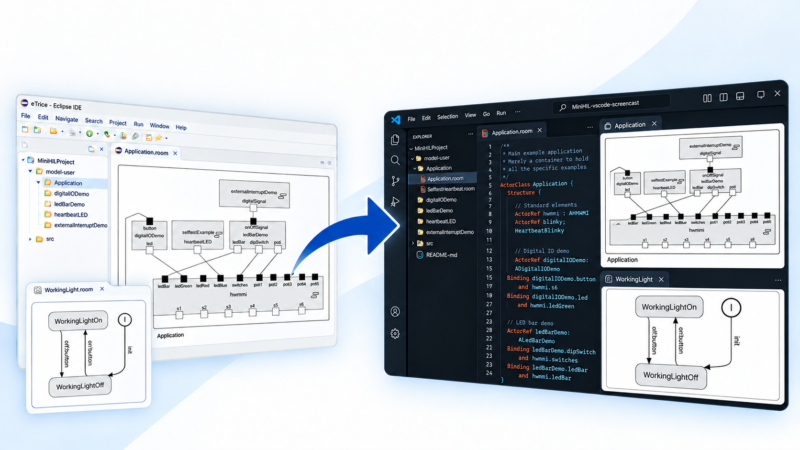
eTrice and the miniHIL IDE are now available as extensions for Visual Studio Code (and compatible platforms). In this post, we highlight some of the features of the new extensions and provide a brief look at their technical implementation.
Feature screencast
Why the VS Code Extension API?
The Eclipse IDE has served us and our customers well for many years. However, as projects grew, its limitations became increasingly apparent: long loading times, an outdated user interface, and limited options for integrating AI assistants.
That’s why we at PROTOS decided to migrate the Eclipse plugins for eTrice and the miniHIL IDE, which our customers are already familiar with, to a future-proof platform. We chose to develop extensions for VS Code for several reasons: it is a modern, flexible, and lightweight development environment that many developers are already familiar with, and its mature extension infrastructure makes it an ideal foundation for our tools. In addition, VSCodium and Eclipse Theia are two open-source platforms that provide the same extension API. This means our extensions work on these platforms as well.
The Migration Process
Since eTrice and miniHIL have been under development for quite some time and already offer many mature features, rewriting the underlying language infrastructure was not an option for us. Most of our languages were developed using Xtext. Fortunately, Xtext provides a Language Server implementation that we could use as a starting point. The Language Server Protocol is what transforms VS Code from a simple text editor into an IDE for a particular language. As is often the case with legacy projects, not all custom-built language features were compatible with the out-of-the-box Language Server implementation. We therefore had to adapt several interfaces and rework a few features.
The original graphical editors in Eclipse were built using Graphiti. In the new extensions, we use Sprotty together with the Graphical Language Server Protocol (GLSP). The biggest challenge was generating new GLSP models from the existing language models and adapting the new viewers to match the familiar look and feel of the original editors. The transition from the previous editors to the new viewers comes with both advantages and disadvantages. One major benefit is that we no longer have to worry about diagram layouts. The trade-off is that editing elements such as state machines directly in text form takes some getting used to. Nevertheless, we have done everything we can to make common editing workflows as smooth as possible.
The eTrice Extension
eTrice is an open-source project of the Eclipse Foundation for model-based development of embedded software using the ROOM modeling language. The new extension brings text editors and diagrams for ROOM models to VS Code.
ROOM models are edited in VS Code using a text editor. The extension provides everything you would expect from a modern development environment: syntax highlighting, code completion, automatic imports, and hover information extracted from comments in the model.
The familiar navigation features are also available. F12 jumps to an element’s definition, while Shift+F12 lists all references to the selected element across the entire workspace. Outline and breadcrumbs display the structure and location of the currently open file. Errors and warnings appear as you type, both directly in the editor and in the Problems panel.
Where do these features come from? eTrice uses a domain-specific language developed with Xtext. This is where most of the work involved in implementing a language takes place: parsing, scoping, validation, and code generation are defined in the grammar and its associated components, independently of the IDE in which the language will eventually be used.
This is where Xtext’s LSP support comes into play. A Language Server can be generated from the same grammar, exposing the existing language functionality through a standardized protocol. This meant we didn’t have to redevelop the language logic for VS Code. Instead, we only needed to make the existing features accessible through the Language Server. Since the Language Server Protocol (LSP) was originally developed by Microsoft for VS Code, it is particularly well supported there, allowing the extension itself to remain lightweight. Another advantage is that LSP is now supported by many AI agents and other IDEs.
For more details, see the Language Server Extension Guide and the Xtext documentation.
Diagrams with Sprotty
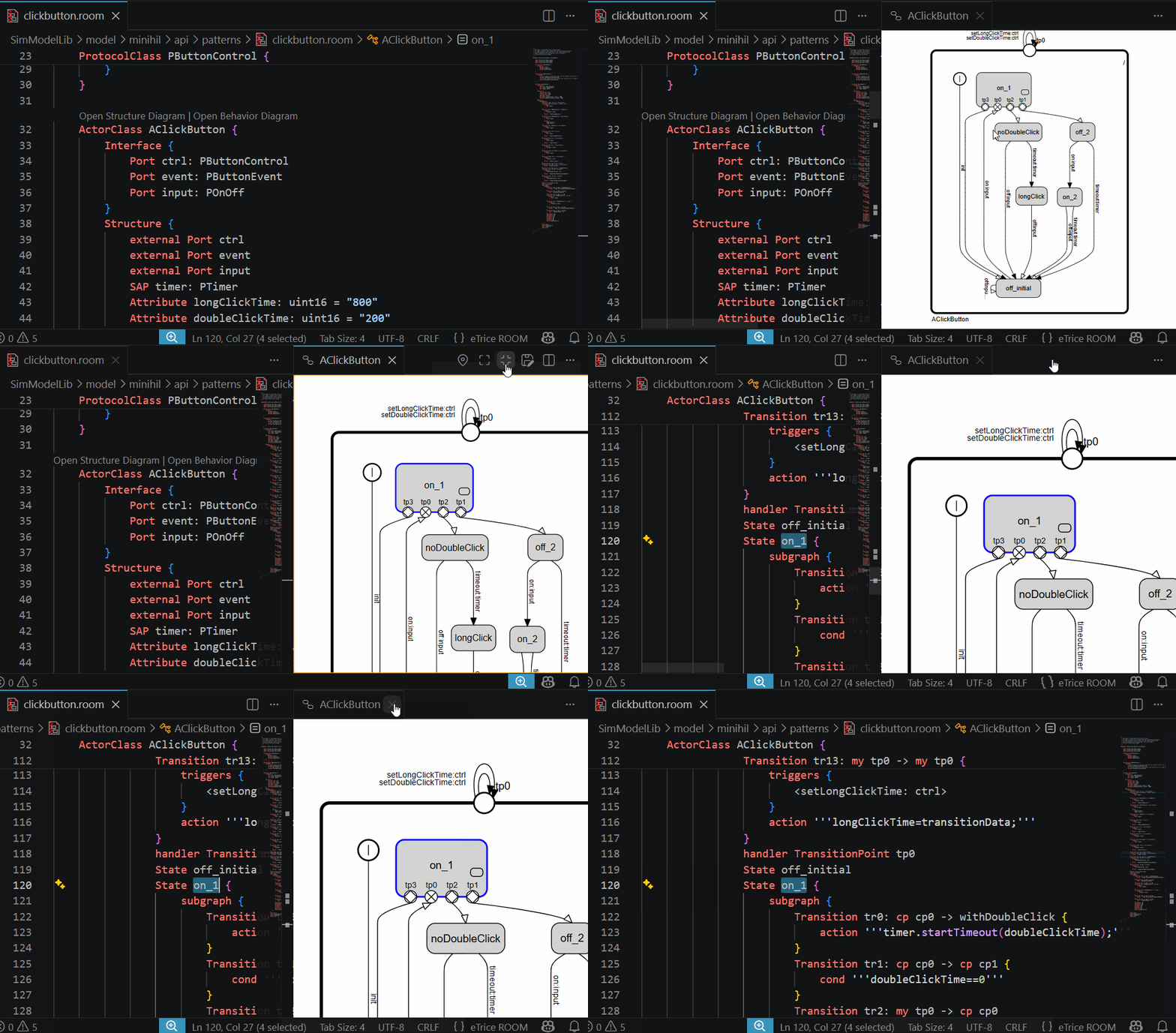
Alongside the text editors, graphical diagram editors were a key component of the eTrice Eclipse plugin. The familiar diagrams are also available in VS Code, now with automatic layout.
For the technical implementation, we chose the Sprotty diagram framework, which is a good fit for our use case thanks to its VS Code support. Sprotty extends the Language Server Protocol with diagram-specific messages, meaning the server provides not only symbols and diagnostics but also a complete diagram model.
The server works with the same parsed ROOM model that powers the editor features. From this model, it generates a diagram model, which is then laid out using the Eclipse Layout Kernel (ELK). The client ultimately receives a fully laid-out structure that only needs to be rendered.
Rendering takes place in a WebView that behaves like a regular editor window in VS Code and can be freely positioned by the user, for example, directly next to the model from which it was generated.
The miniHIL Extension
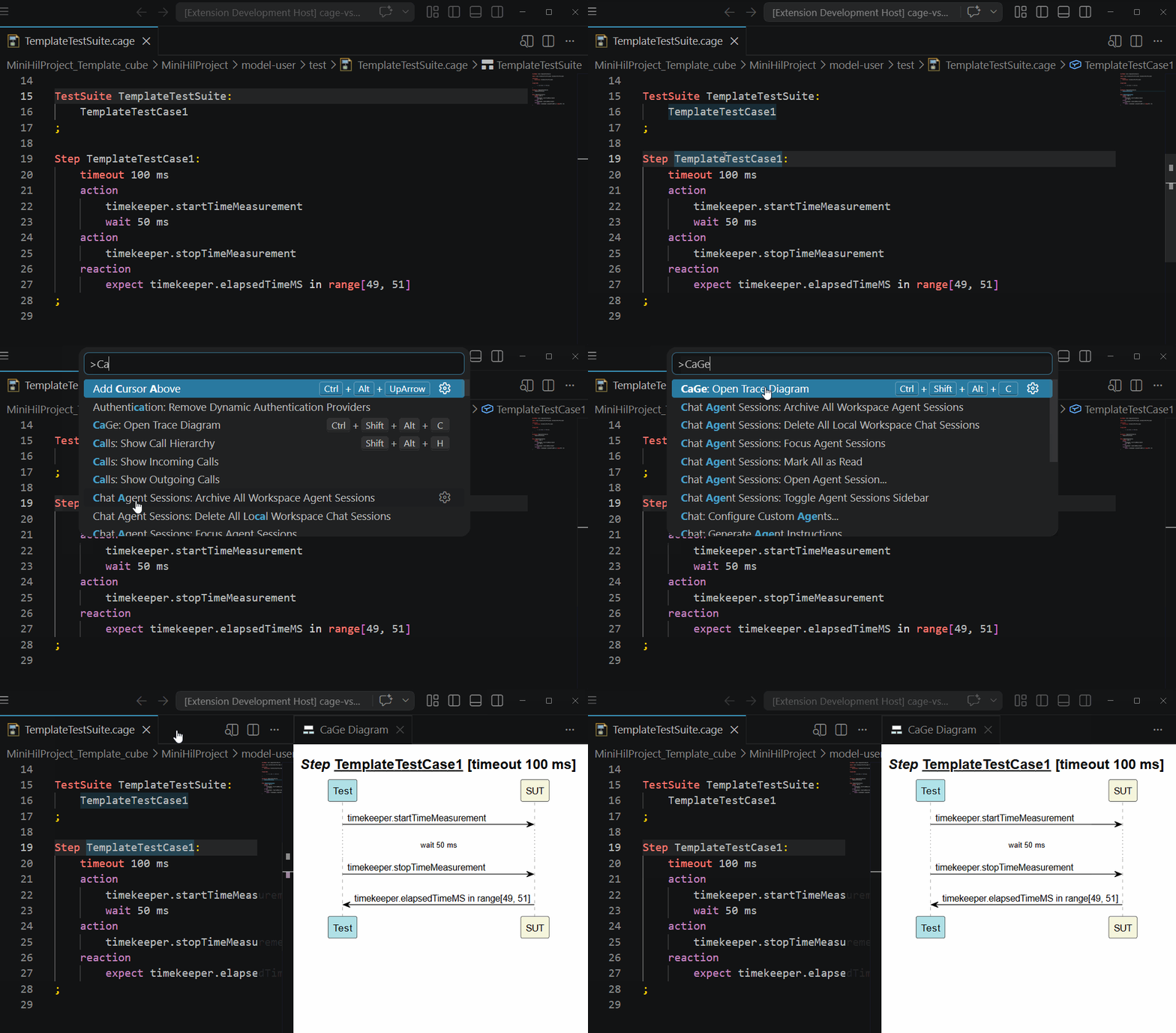
CaGe models benefit from the same language features as ROOM: syntax highlighting, real-time validation, code completion, and navigation to definitions and references. Graphical visualization is also available. A trace diagram can be opened via a keyboard shortcut for a test suite, step, sequence, or state graph, displaying the test execution flow as a sequence diagram.
C Code Integration
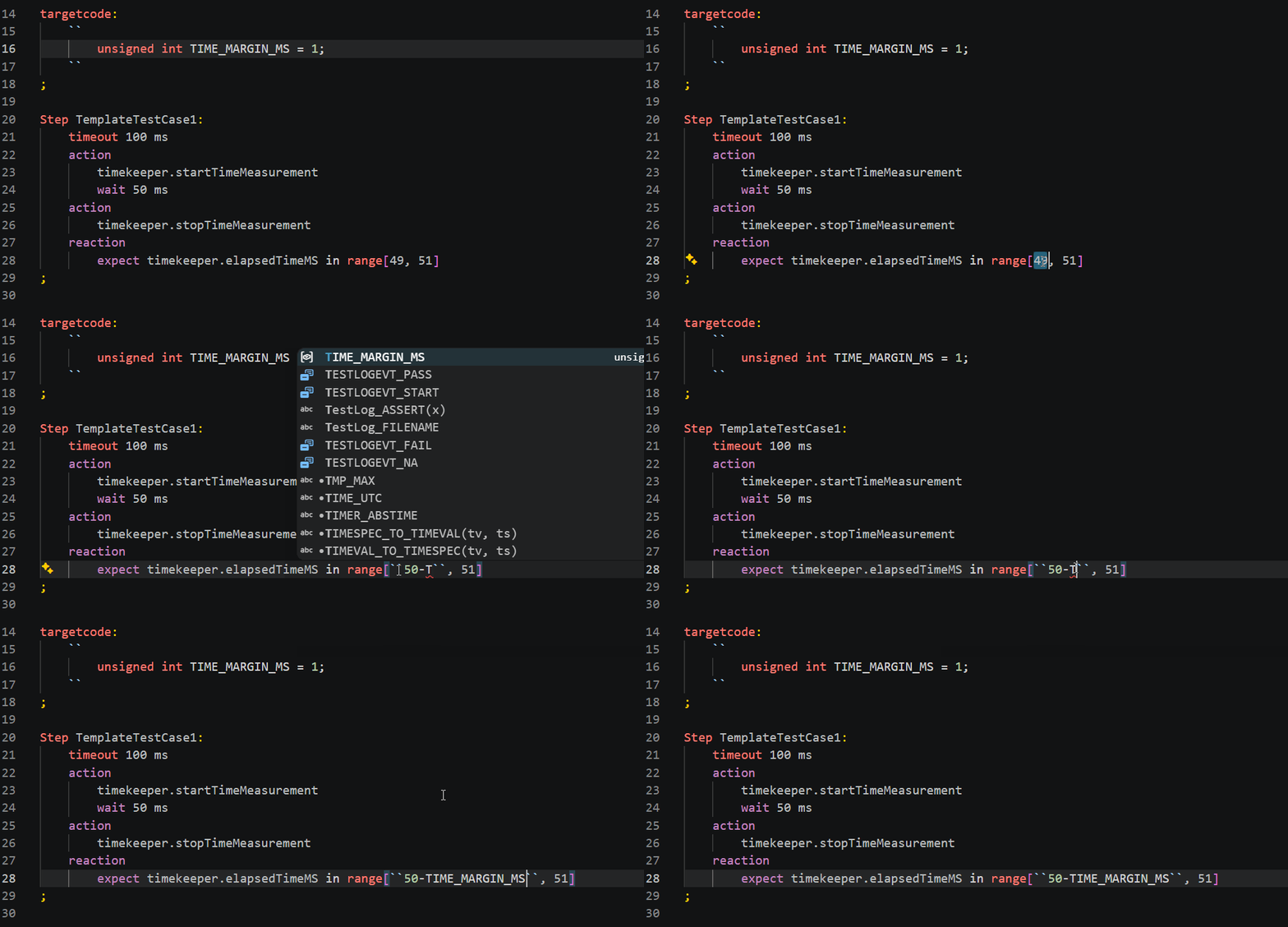
With the migration to VS Code extensions, we have significantly improved support for C target code embedded in the CaGe language, in addition to the existing CaGe language features. C code snippets in CaGe now support hover information, code completion, diagnostics, code navigation, and more.
Rather than reinventing the wheel, we extended our miniHIL extension to provide virtual C code documents containing the necessary headers and stub functions. We delegate C language features to the clangd VS Code extension and map the results back to the CaGe document. This approach allows users to benefit from the full range of features provided by clangd. Users can configure clangd themselves to meet project-specific requirements rather than being restricted to a predefined configuration.
Integration of the miniHIL and eTrice Extensions
eTrice is an open-source project, whereas CaGe is not. This initially presented a significant challenge. Typically, each language has its own Language Server. However, CaGe is tightly integrated with eTrice: CaGe tests directly reference elements from ROOM models, such as their interfaces and data types. Using two separate Language Servers would have required loading the same models twice and keeping them synchronized. At the same time, we wanted to honor our commitment to keeping eTrice open source and continue offering a standalone eTrice extension.
Our solution: the miniHIL extension reuses the existing LSP connection established by the eTrice extension and injects its CaGe-specific logic into it. This allows the eTrice extension to remain standalone and open source while providing miniHIL users with a seamlessly integrated environment for developing test cases with CaGe.
Try It Now
The eTrice extension is available for download on Open VSX.
If you use miniHIL, you can download the miniHIL extension directly from our miniHIL download page.
Installation instructions are available in this screencast or in the miniHIL User Guide.
If you’re a miniHIL customer, we’d love to hear your feedback at minihil@protos.de. If you’re only trying out the eTrice extension, you’re also welcome to share your feedback directly through the eTrice Issue Tracker.
You Have Questions About Migrating Legacy Tooling? Benefit from Our Expertise!
Do you have legacy tooling that you’d like to migrate to a modern platform?
Get in touch with your questions or requirements, and we’ll be happy to explore how our expertise can support your migration. Free of charge and with no obligation.